How to Securely Run Puppeteer Chrome for Local PDF Generation in Docker
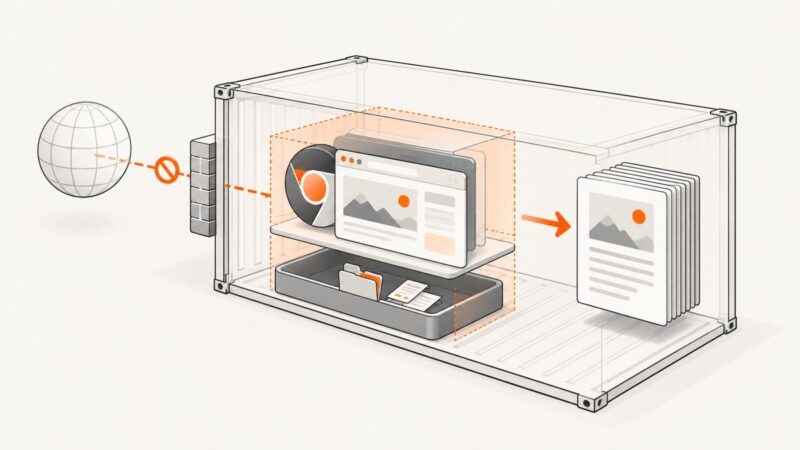
Generate PDFs with Puppeteer in Docker while keeping Chrome’s sandbox enabled. Set up the official image, configure a custom image, and fix common container errors.
Generate PDFs with Puppeteer in Docker while keeping Chrome’s sandbox enabled. Set up the official image, configure a custom image, and fix common container errors.
PHP cURL can request a PDF, but a browser engine must render the page. Compare hosted conversion, wkhtmltopdf, and headless Chrome, with complete PHP examples.
Load remote CSS reliably in WeasyPrint or xhtml2pdf, resolve assets, handle authentication, and avoid common HTML-to-PDF failures.
Create and return Puppeteer PDFs from memory or a Web Stream, with print options, cleanup, backpressure, troubleshooting, and a no-browser API option.
Convert HTML to PDF with browser automation or an API. Learn rendering options, complete code, reliability, troubleshooting, costs, and production patterns.
Convert HTML text to a reliable PDF with Puppeteer, control print CSS and page layout, troubleshoot rendering issues, or use ScreenshotNeo.
Use Puppeteer’s addStyleTag to apply runtime CSS strings before PDF generation, with print media, page sizing, fonts, and troubleshooting covered.
Save a web page as a PDF from an Ubuntu terminal with headless Chrome. Learn the core command, timing options, troubleshooting, and ways to automate capture.
Capture crisp website frames or export a page to PDF with browser APIs, Puppeteer, DevTools, and ScreenshotNeo—without recording your screen.
Create paginated PDFs from HTML with print CSS, explicit page breaks, and runnable Puppeteer, Playwright, and Python examples.
Chrome captures as soon as a page loads. Learn when to use --timeout, virtual time, Puppeteer readiness checks, and ScreenshotNeo.
Choose Puppeteer for server-side webpage PDFs, html2pdf.js for browser exports, or PDFKit for documents built from structured data.
Set authentication cookies in Go HTTP clients and browser sessions, verify access, and print protected HTML pages to reliable PDFs.
Set authentication cookies in the browser context before navigation, wait for protected content, then generate the PDF from that same session.
Learn when a PHP PDF renderer needs a session cookie, with secure examples for Dompdf, mPDF and wkhtmltopdf.
Set authenticated cookies, wait for dynamic content, and create reliable PDFs with Puppeteer in Node.js. Includes security, debugging, and an API alternative.
Compare open-source HTML-to-PDF APIs and browser libraries, with runnable Gotenberg, Playwright, Puppeteer, cURL, Python, and Node.js examples.
Use Puppeteer to turn a live webpage or HTML string into a PDF with Node.js. Configure print styles, page layout, readiness, and output safely.