How to Use Puppeteer with Netlify
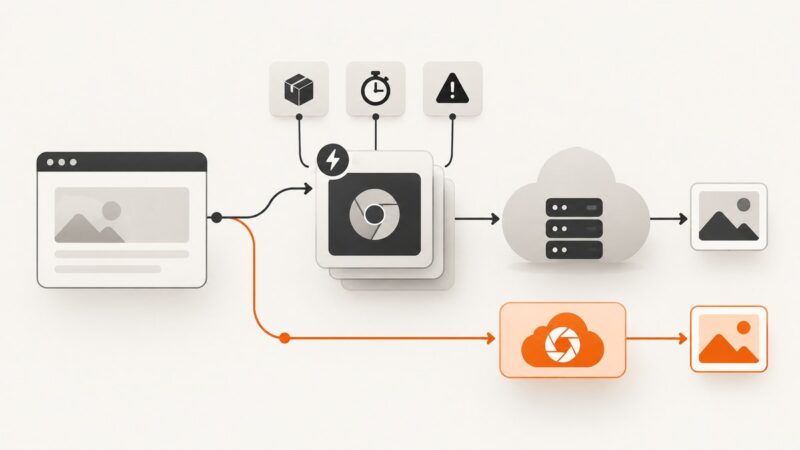
Deploy Puppeteer on Netlify Functions with compatible Chromium, reliable bundling, timeouts, troubleshooting, and a no-browser ScreenshotNeo option.
Deploy Puppeteer on Netlify Functions with compatible Chromium, reliable bundling, timeouts, troubleshooting, and a no-browser ScreenshotNeo option.
Save an X thread for quick reading, PDF export, or a durable archive. Compare bookmarks, Reader Mode, Thread Reader, account data, and screenshots.
Learn the permission-first way to use Puppeteer on authorized Glassdoor data, with safe extraction patterns, troubleshooting, and screenshot options.
Build a Zap that captures any webpage, waits for dynamic content, and sends the image to email or storage—with troubleshooting and API options.
Route Puppeteer through a proxy, choose where rotation happens, handle HTTP authentication, and troubleshoot common setup problems.
Capture viewport, full-page, or element screenshots in Node.js with Playwright or Puppeteer, then compare the tradeoffs with a hosted API.
Connect a Git repository to Apify, configure branches and private access, automate builds, and deploy a reliable web scraping Actor.
Learn where websites expose email addresses and how to collect them responsibly, with a runnable Python example and practical privacy safeguards.
Learn how to retrieve a page’s post-JavaScript DOM with Playwright, Puppeteer, or a managed API, and handle waits, frames, errors, and cost.
Configure a proxy for Selenium’s browser session, understand where IP rotation happens, and switch endpoints safely between runs with Python examples.
Make website screenshots faster and more consistent by profiling the real bottleneck, choosing the right capture size, and stabilizing only what your test needs.
Learn how URL parameters resize, transform, retrieve, and format images, with working examples, security guidance, and the limits of URL-based generation.
Build a dependable version history for reusable design templates with named milestones, recovery points, branches, review rules, and practical automation.
Build a bounded Puppeteer scraper that scrolls the right container, waits for new records, deduplicates results, and stops reliably.
Learn how to capture full-page, element and high-resolution website screenshots in Node.js with Playwright, Puppeteer or ScreenshotNeo.
Capture viewport, element, and full-page website screenshots in Go with chromedp, waits, formats, troubleshooting, and an API alternative.
Generate file and text hashes with OpenSSL, Python, Node.js, or cURL. Learn which algorithms suit integrity checks, security, and error detection.
Speed up Puppeteer by removing redundant waits, resolving intercepted requests, and preserving useful browser cache—then measure each change.